No. 09 · Yoga & pilates studio
Juniper Hall Yoga & Pilates
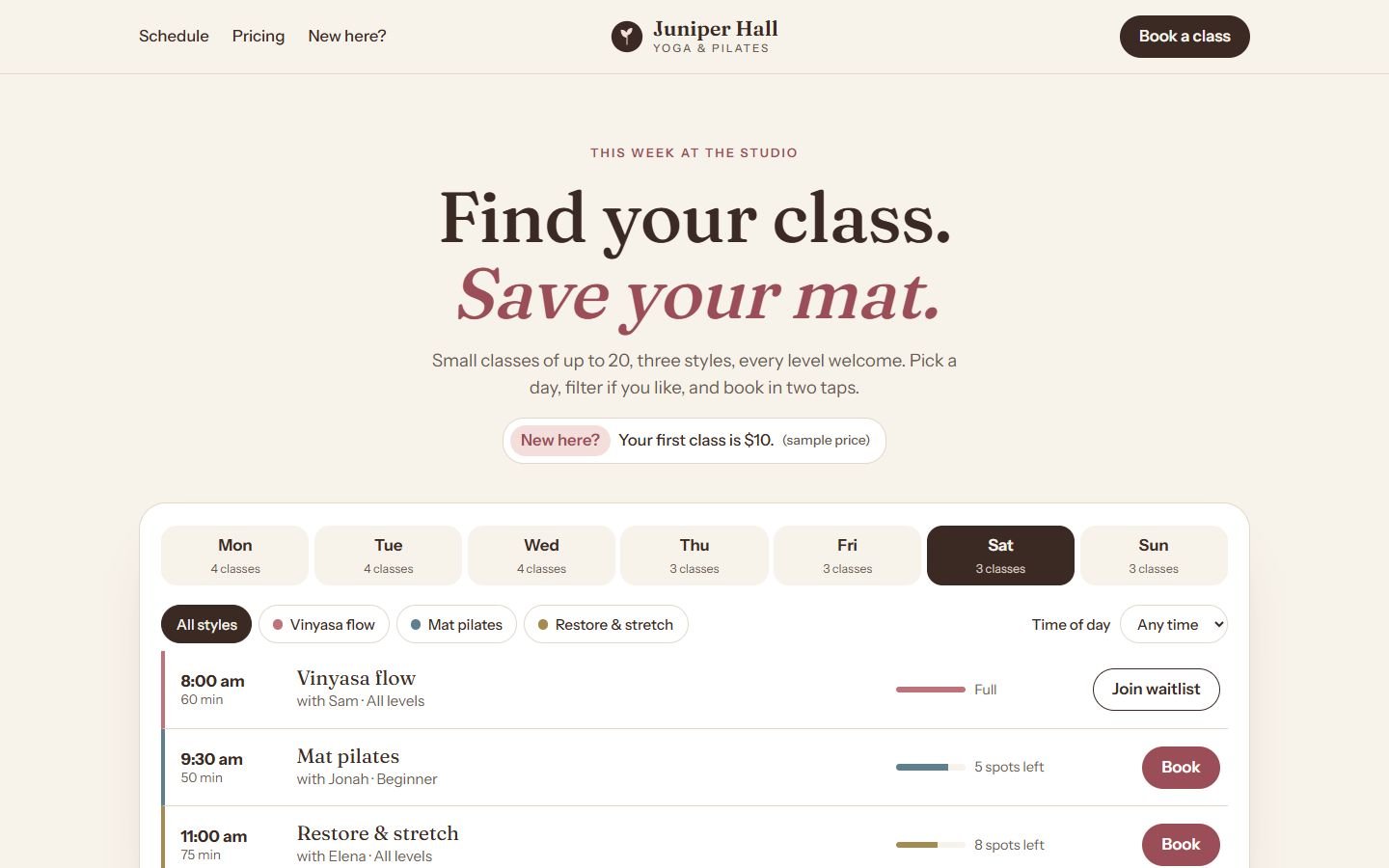
A studio website where the weekly class schedule is the hero, with filters, live spots left and booking in two taps.
- Classification
- Independent concept
- Business
- Juniper Hall (fictional)
- Project type
- Single-page website concept
- Year
- 2026
- Type
- Fraunces, Instrument Sans
The brief
The brief
Design a website for a small yoga and pilates studio. Almost every visitor comes to answer one question, "What's on, and is there space?", usually from a phone. The site should make the schedule the front door, help newcomers pick the right class, and make pricing easy to compare.
Goals
- 01Put the schedule first, not three scrolls down
- 02Help visitors filter by style and time of day
- 03Show which classes are filling up
- 04Make the first visit feel easy
On every screen
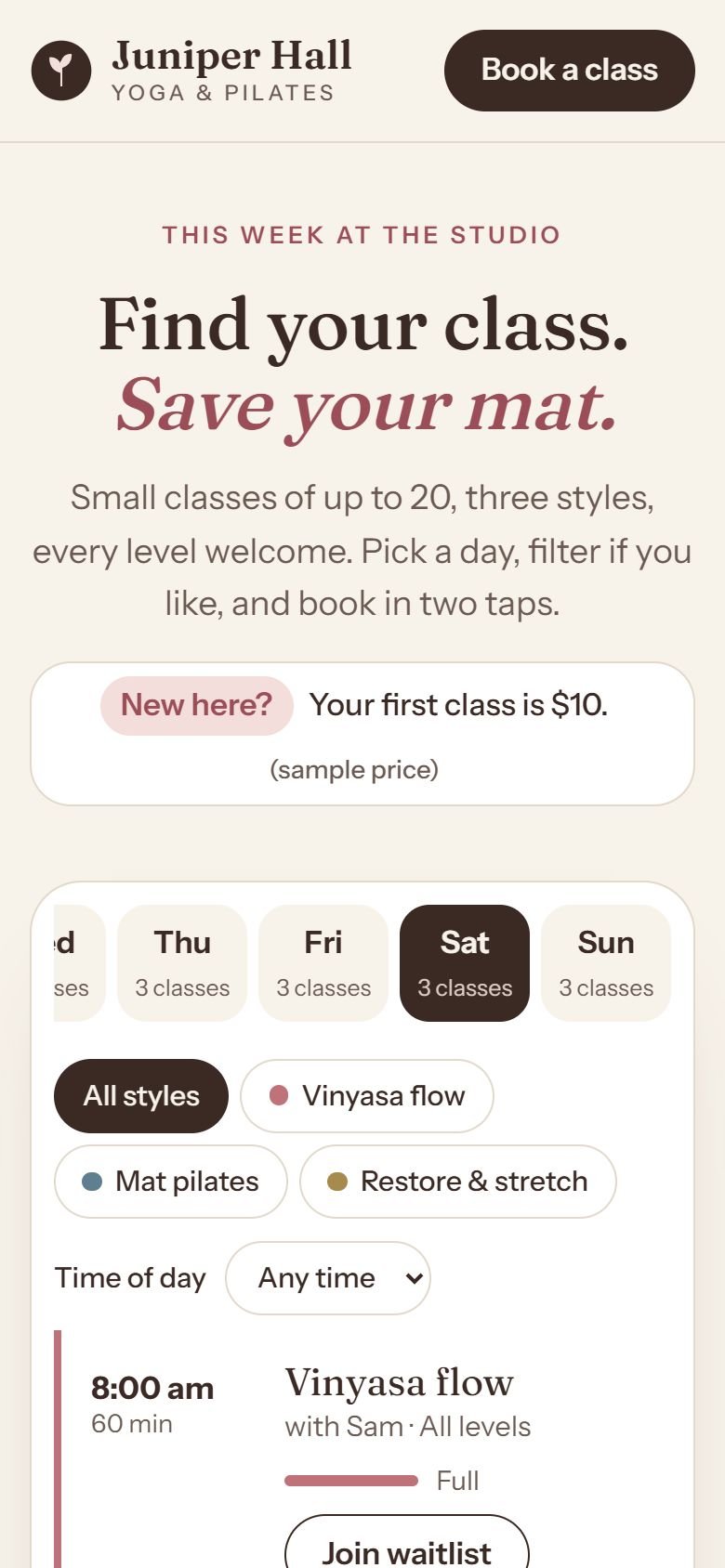
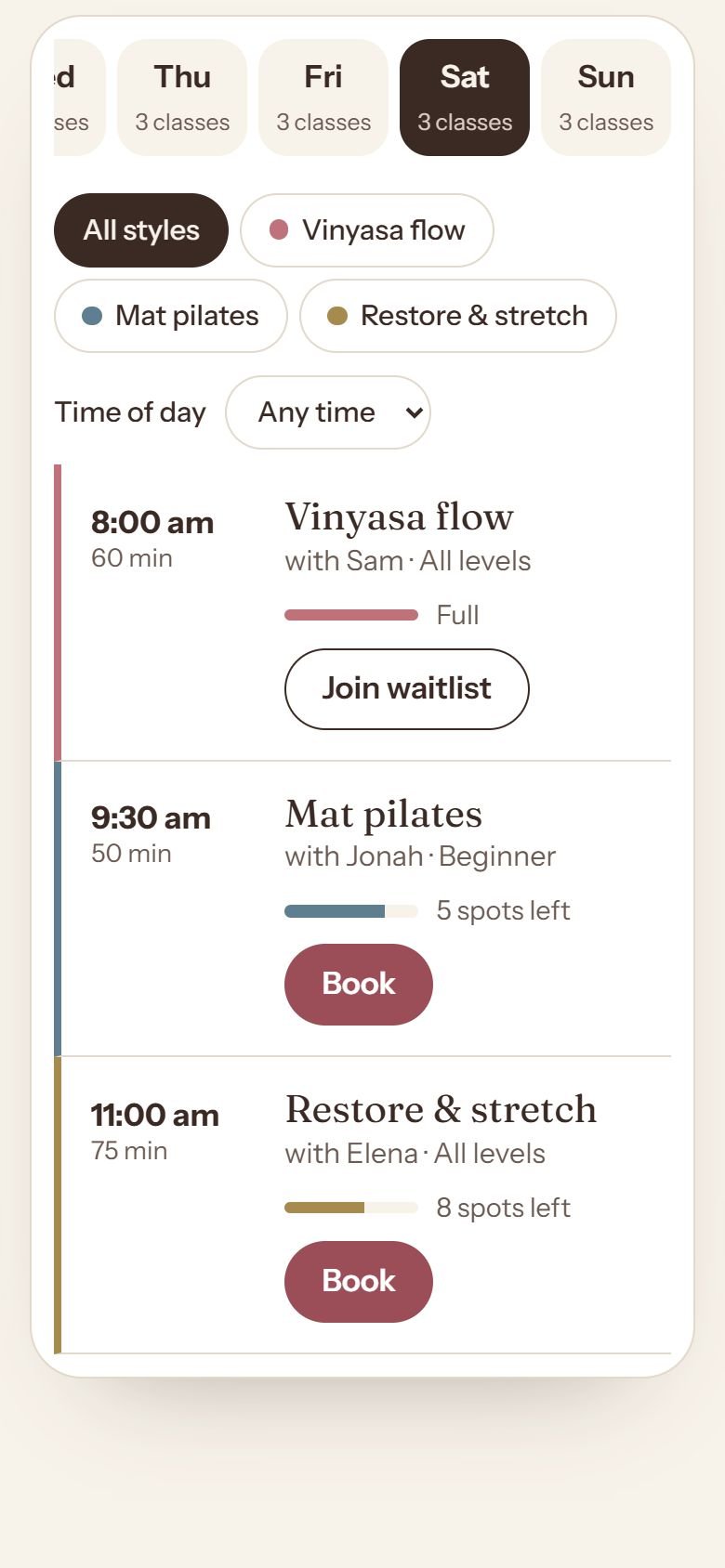
Designed for phones first
The work
The approach
Studio websites often hide the schedule behind a booking widget three pages deep. Here, the schedule is the hero. A short, warm headline sits above it, and the week’s classes are the first thing a visitor can use.
Fraunces, a soft serif, gives the studio a calm, crafted voice. Instrument Sans keeps times and names crisp. Cocoa, cream and dusty rose avoid the usual mint-and-white wellness look.
Decisions worth noting
- Opens on today. The day tabs select the current day automatically, and arrow keys move between days.
- Filters that explain themselves. Choosing a style or time of day updates a count that screen readers announce. If nothing matches, the page says so and offers a “Clear filters” button instead of an empty box.
- Honest availability. Each class shows spots left, and full classes offer a waitlist instead of a disabled button.
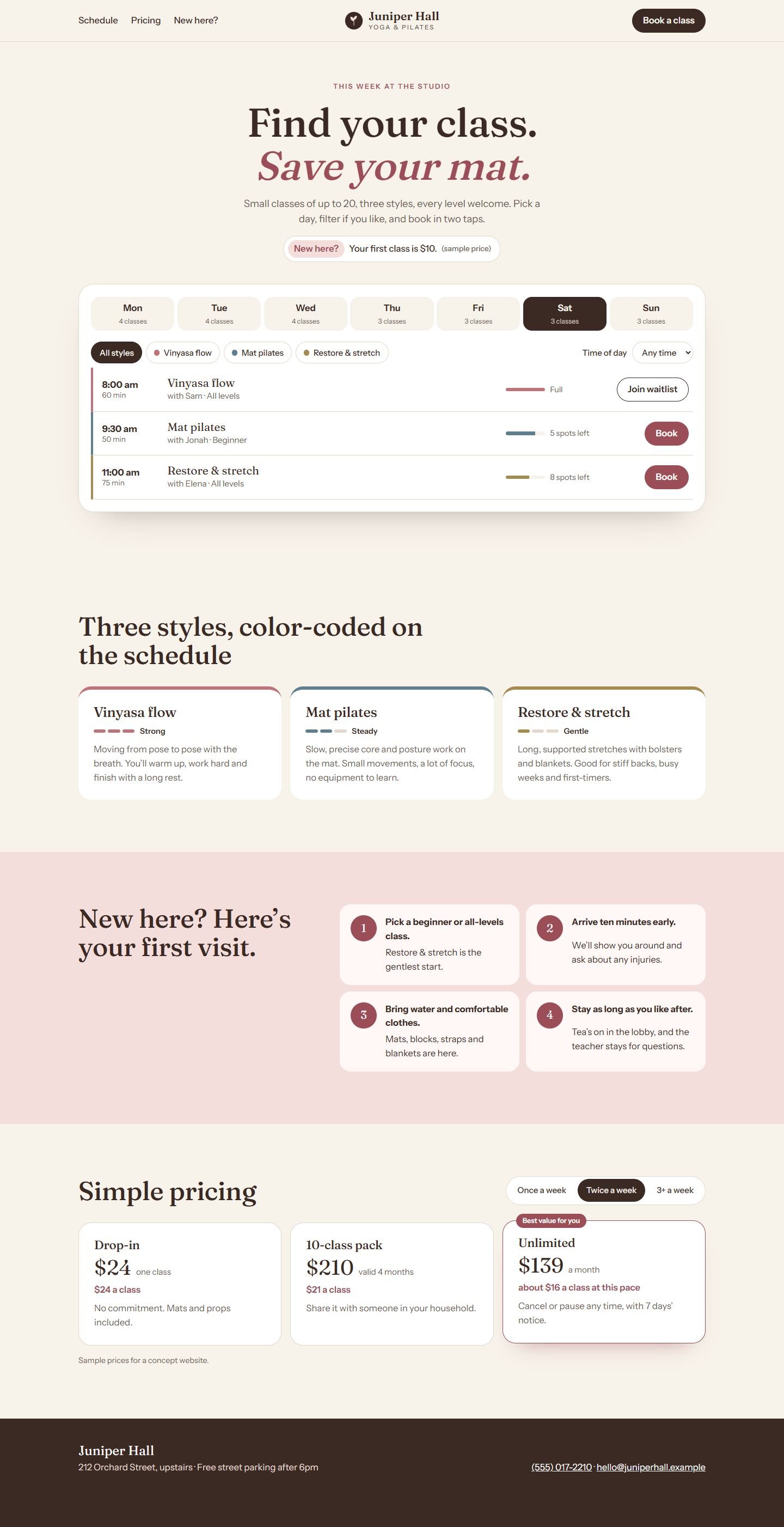
- Pricing that does the math. Choose how often you’ll come and the best-value pass is highlighted, with a per-class price for the unlimited option.
How it’s built
One static page. The schedule is plain HTML that works without JavaScript; the script adds the tabs, filters and booking dialog. Fonts are self-hosted.
What would change for a real client
The studio’s real timetable fed from their booking system, real teachers and photos, and real prices and intro offers.
What’s on the site
Features actually built
- Schedule as the hero, with keyboard-accessible day tabs that open on today
- Filters for style and time of day, with an announced result count and an empty state
- Spots-left meters and a waitlist option for full classes
- Booking dialog built on the native dialog element (demonstration only, nothing is sent)
- Color-coded class styles with an intensity scale
- Pricing that highlights the best pass for how often you'll come (sample prices)
Palette
- Cocoa
#3B2A24 - Cream
#F7F2EA - Dusty rose
#C0727A - Slate blue
#5F7F90